DevCleaner for Xcode
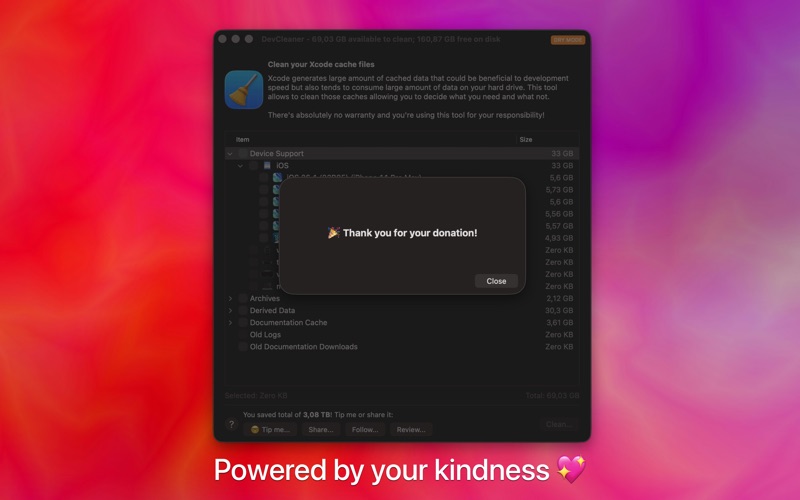
Discover how DevCleaner for Xcode reclaims gigabytes of wasted Mac storage. Read our full review of this essential developer tool for macOS.
The Cost of iOS Development: Vanishing SSD Space
If you are an active iOS or macOS developer, you are likely familiar with the silent storage drain caused by Apple's IDE. DevCleaner for Xcode storage management solves one of the most frustrating aspects of the Apple development ecosystem: the massive accumulation of cached files, device support symbols, and derived data that Xcode leaves behind.
Over months of testing and building projects, the ~/Library/Developer directory quietly balloons in size. For developers working on MacBooks with modest solid-state drives, this build-up can quickly halt workflows. DevCleaner for Xcode provides a elegant, visual remedy to audit and safely purge these unnecessary system files.
How DevCleaner for Xcode Optimizes Your Mac
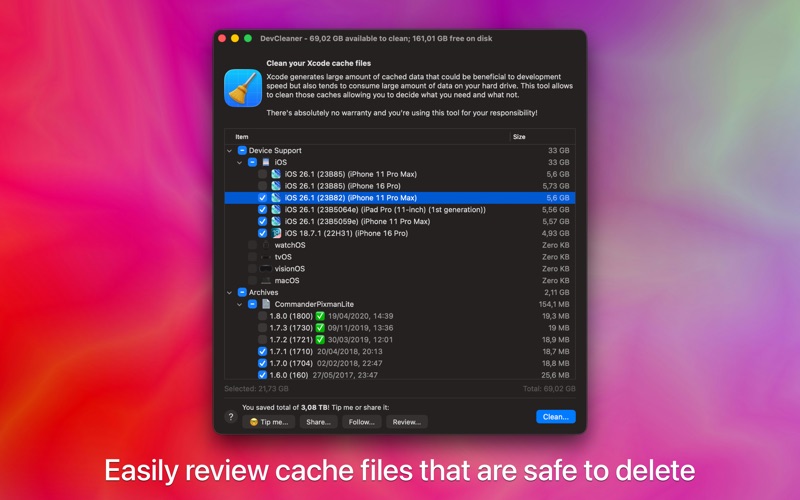
Rather than forcing you to manually dig through hidden library folders and risk deleting critical configuration profiles, this utility targets specific categories of temporary developer files. Here is what the tool helps you manage:
- Derived Data: Safely clear out legacy build artifacts and project indexes that are easily regenerated.
- Device Support Files: Remove outdated iOS, watchOS, and tvOS SDK symbols from devices you no longer target.
- Caches and Archives: Reclaim space from older archives and temporary simulator logs.
Key Features for Advanced Workflows
Created by developer Konrad Kolakowski, this utility is built with the practical needs of engineers in mind. It does not just offer a simple "delete all" button; it provides granular control over your storage allocation.
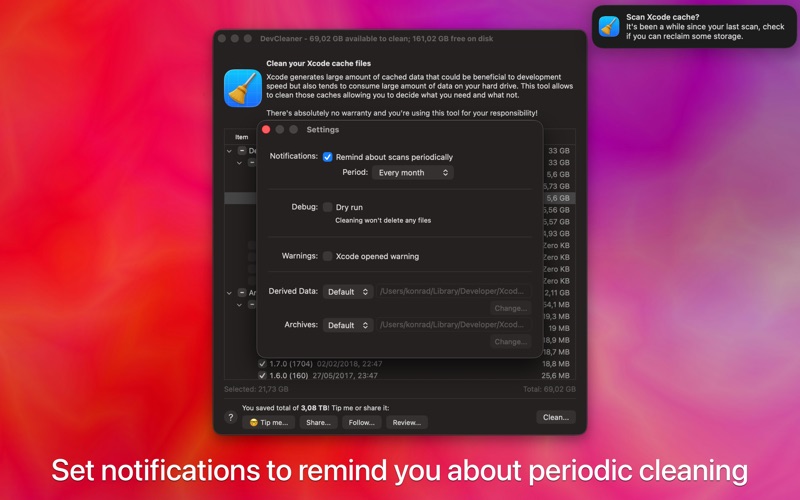
Scheduled Scan Reminders
It is easy to forget about system maintenance until your Mac warns you that your disk is completely full. The app features customizable alerts that remind you to perform a scan after a set period, keeping your workspace consistently lean.
Integrated Command Line Tool
For power users who prefer automation, the application includes a dedicated terminal utility. This allows you to integrate storage cleaning routines directly into your custom build pipelines, deployment scripts, or weekly cron jobs.
Is DevCleaner for Xcode Right for You?
If your local drive is constantly fighting for free space, this tool is an absolute necessity. It offers a transparent, risk-free preview of exactly what will be deleted, ensuring you never accidentally discard active project assets. Because it is tailored specifically for the ~/Library/Developer directory, it is far safer than generic disk cleaning applications.
Ready to reclaim gigabytes of valuable solid-state storage? You can find the application and explore its features on the official Mac App Store.