
Duplicate Cleaner Tool
An in-depth review of the Duplicate Cleaner Tool for Windows. Learn how this utility scans local drives and OneDrive to safely reclaim valuable storage.
A Smarter Way to Reclaim Your Storage Space
Managing digital storage can quickly become a headache when identical files start cluttering your system. The Duplicate Cleaner Tool duplicate file finder offers a highly reliable solution designed specifically for Windows users who need to sweep both local drives and cloud environments. Unlike basic cleanup utilities that only skim the surface, this program digs deep into your directories to identify redundant data with surgical precision, making it an essential tool for maintaining system health.
Standout Feature: Byte-by-Byte Accuracy
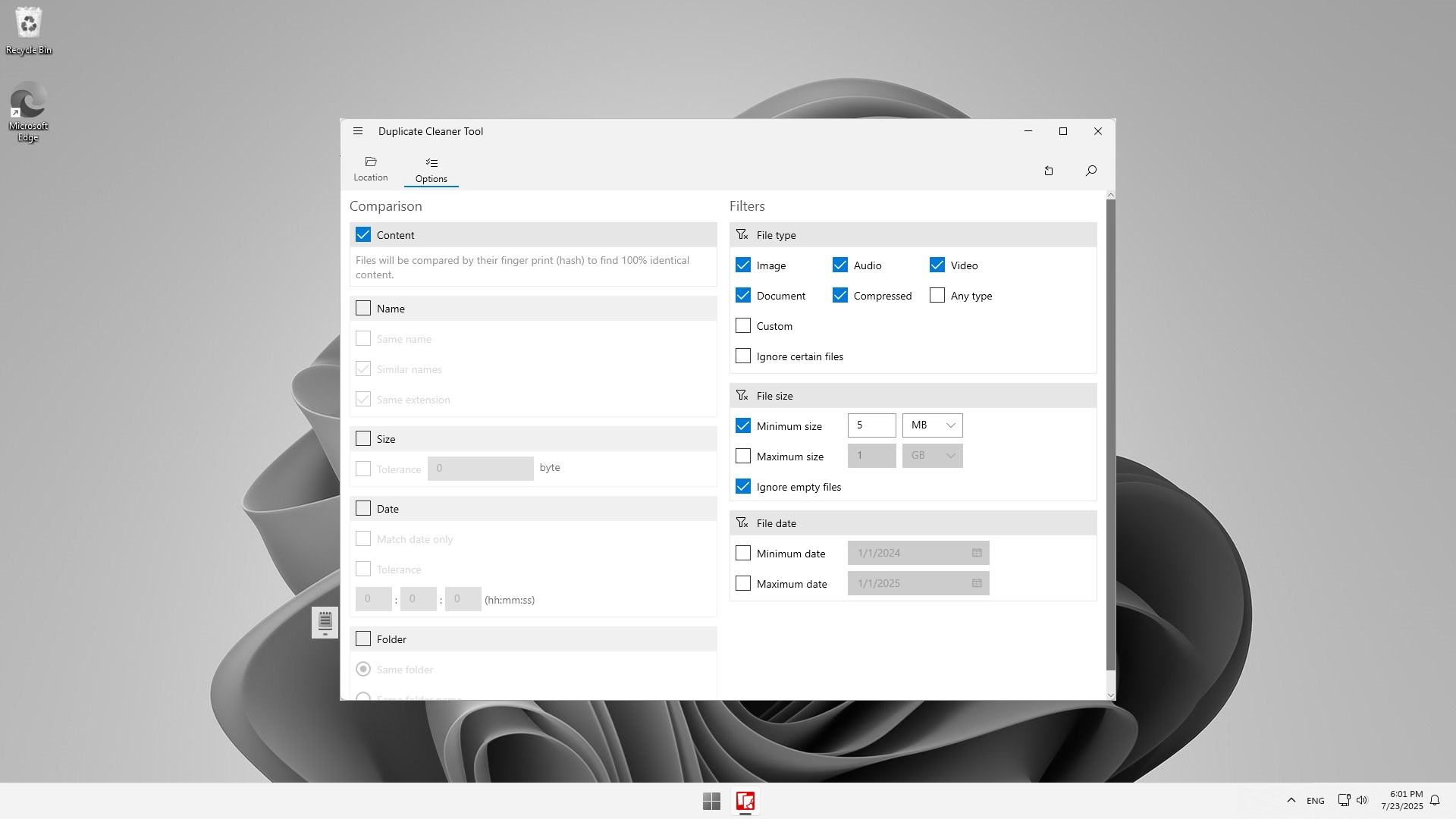
What sets the Duplicate Cleaner Tool duplicate file finder apart from many competitors is its default comparison method. The application analyzes files using unique digital fingerprints (hashes) rather than relying solely on easily altered metadata like filenames. This ensures 100% accuracy, meaning you will never accidentally target different files that happen to share a name. For those in a hurry, alternative scanning modes allow you to filter and match files by size, creation date, or folder location, offering a perfect balance between speed and precision.
Comprehensive Cloud and Local Scanning
Developed by Mehrzad Chehraz, this utility is built to handle modern, hybrid workflows. Key capabilities include:
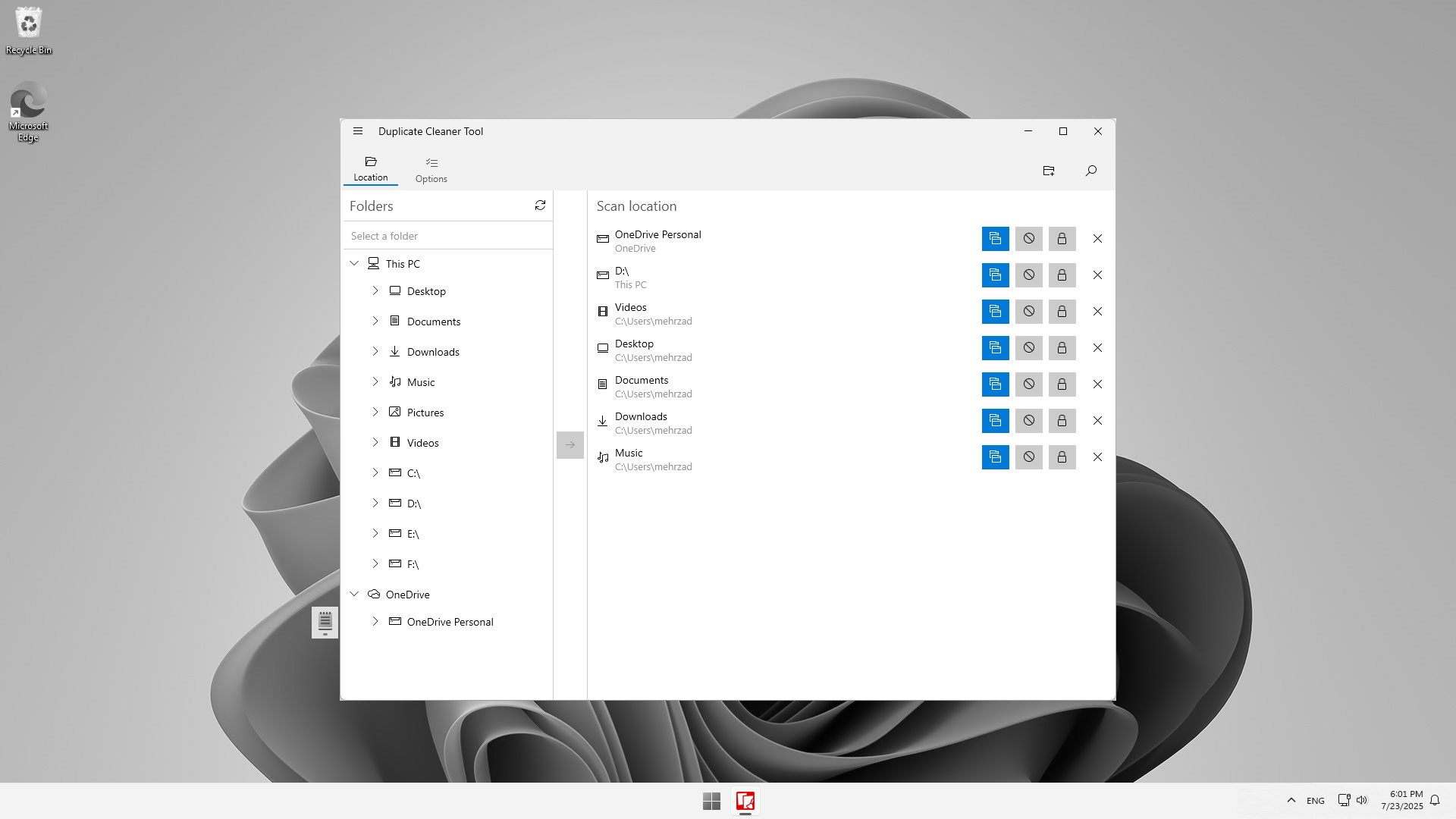
- OneDrive Integration: Scan and clean your cloud storage directly alongside your local hard drives to free up premium cloud space.
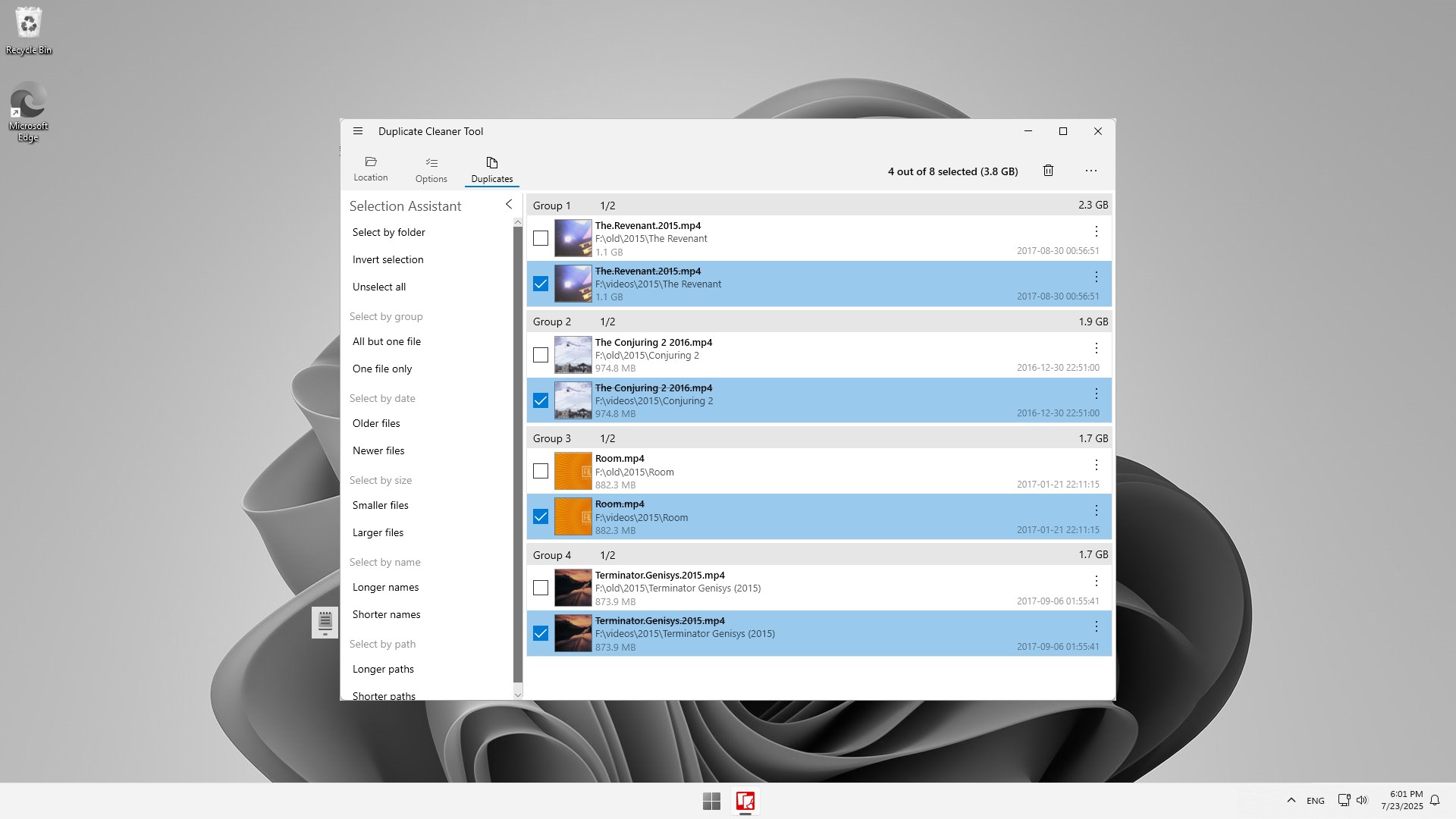
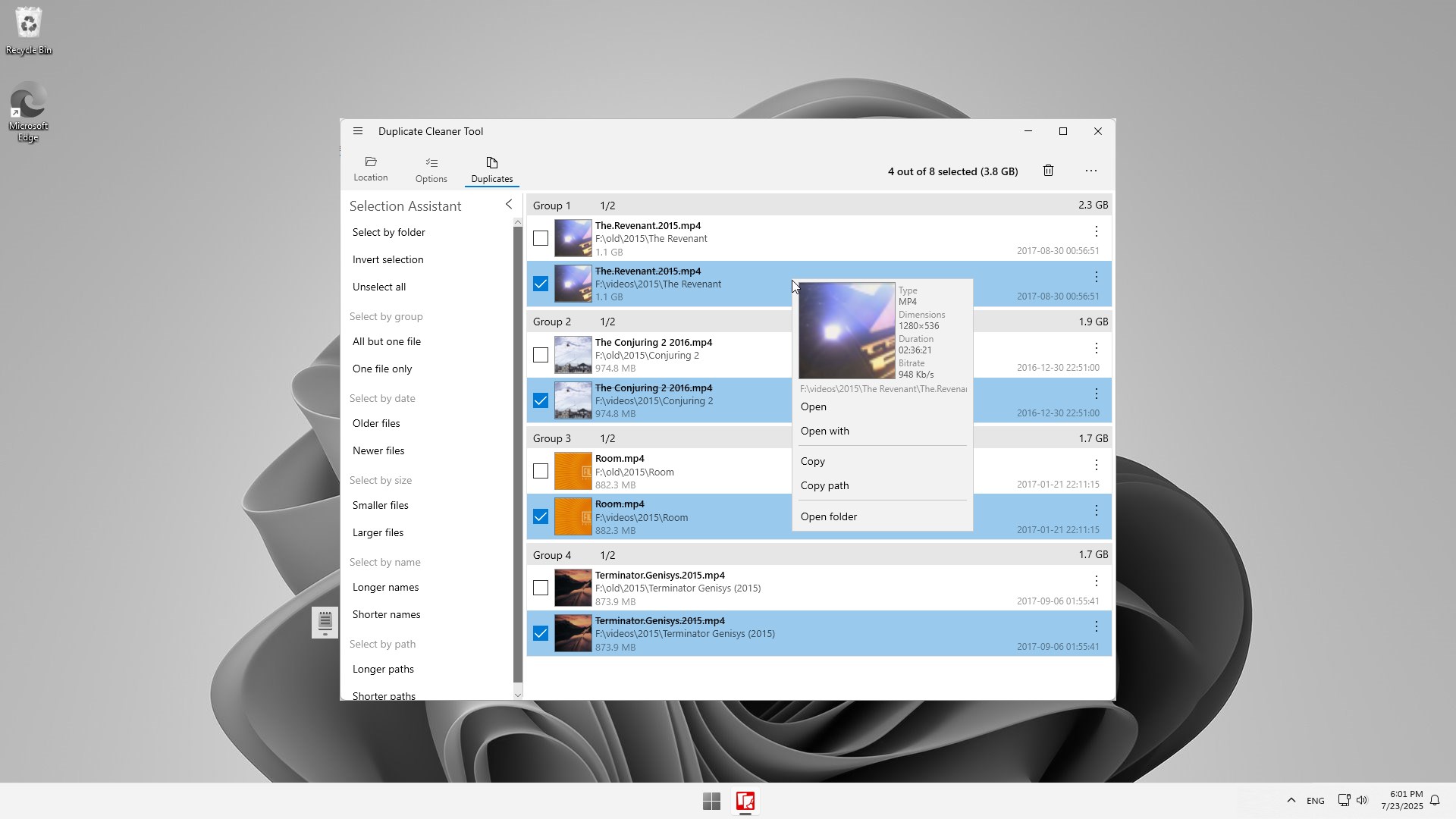
- Selection Assistant: Avoid the tedious chore of manual ticking. This intelligent assistant lets you select thousands of duplicates instantly based on group rules like date, folder hierarchy, or file size.
- Visual Preview Tool: View thumbnails and essential metadata of images and documents before committing to any deletion, ensuring complete peace of mind.
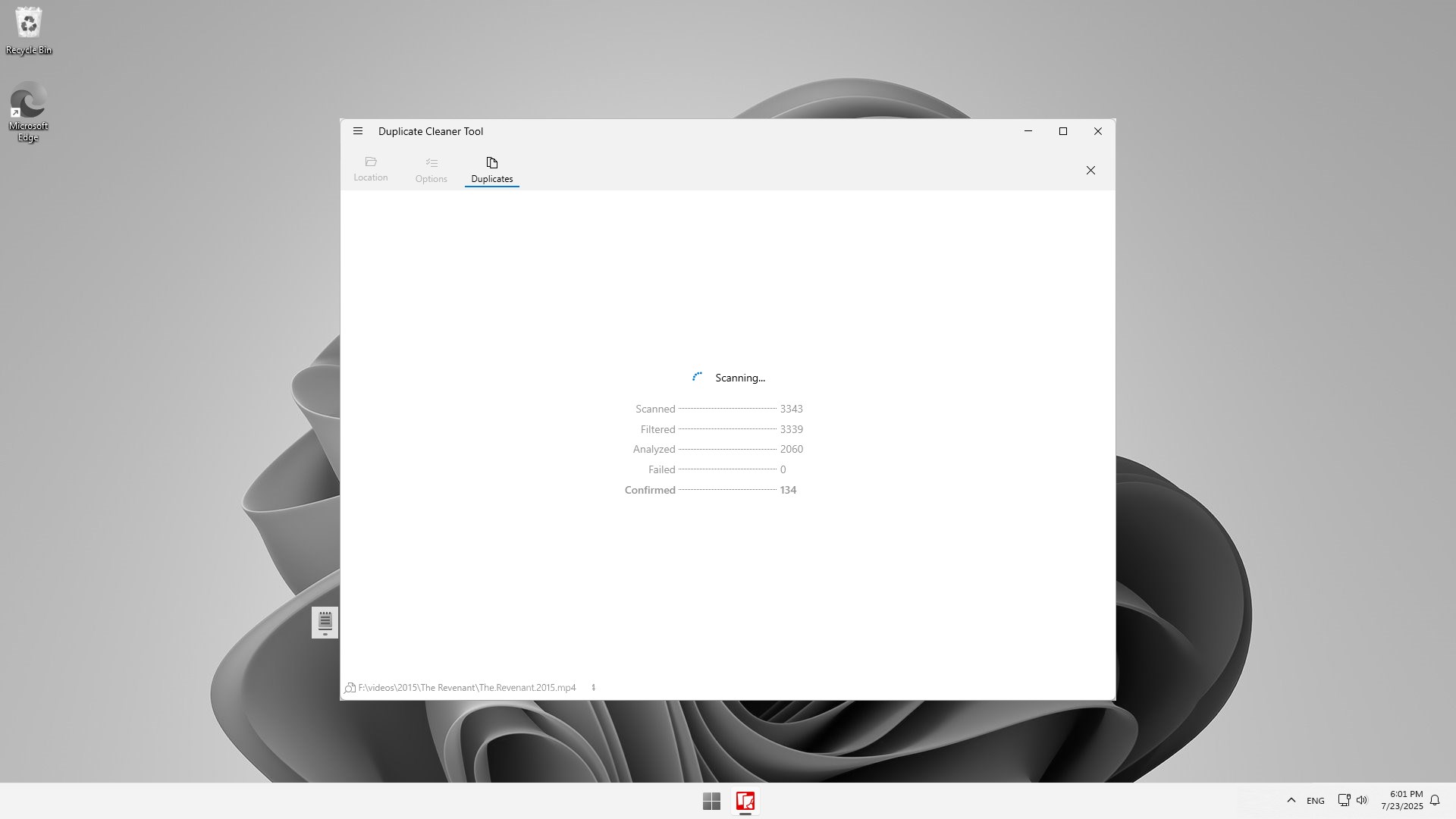
- Flexible Performance: Utilize simultaneous scanning, folder exclusions, deep/shallow scanning paths, and zero-byte file filtering to customize every run.
Who Is It For?
Whether you are a casual user trying to clean up a disorganized photo library or an advanced user managing complex directory structures, the interface scales to your technical comfort. The low resource footprint ensures that even large-scale scans won't slow your computer to a crawl. Once your cleanup is complete, the app generates a detailed exportable CSV report, perfect for power users who like to keep precise logs of their storage optimization efforts.
Our Editorial Verdict
With its versatile selection assistant and robust verification features, this application takes the anxiety out of storage management. If you are ready to declutter your digital life, we highly recommend checking out this reliable utility. You can find the Duplicate Cleaner Tool duplicate file finder on its official Microsoft Store page to start optimizing your Windows device today.